
Pedicure and private foot care booking software
Give private foot care clients a direct booking link and keep intake, treatment notes, annotated foot charts and photos together. Built for independent pedicurists, UK Foot Health Practitioners (FHPs) and small self-pay practices. Record health flags such as diabetes or blood thinners yourself, set treatment lengths and travel breaks, and manage deposits and receipts. Boeked is not an NHS billing system or a specialist US podiatry EHR.
Approx. £16 / US$21 per month at ECB reference rates on 13 November 2026. Billed at €19/month including VAT, not a fixed GBP or USD price. Your bank's exchange rate and any conversion fees may differ. For the owner plus up to 2 staff: max. 3 separate calendars. Larger teams: a Boeked Pro+ quote. No booking commission; Stripe processing and optional Twilio/Brevo charges are separate.
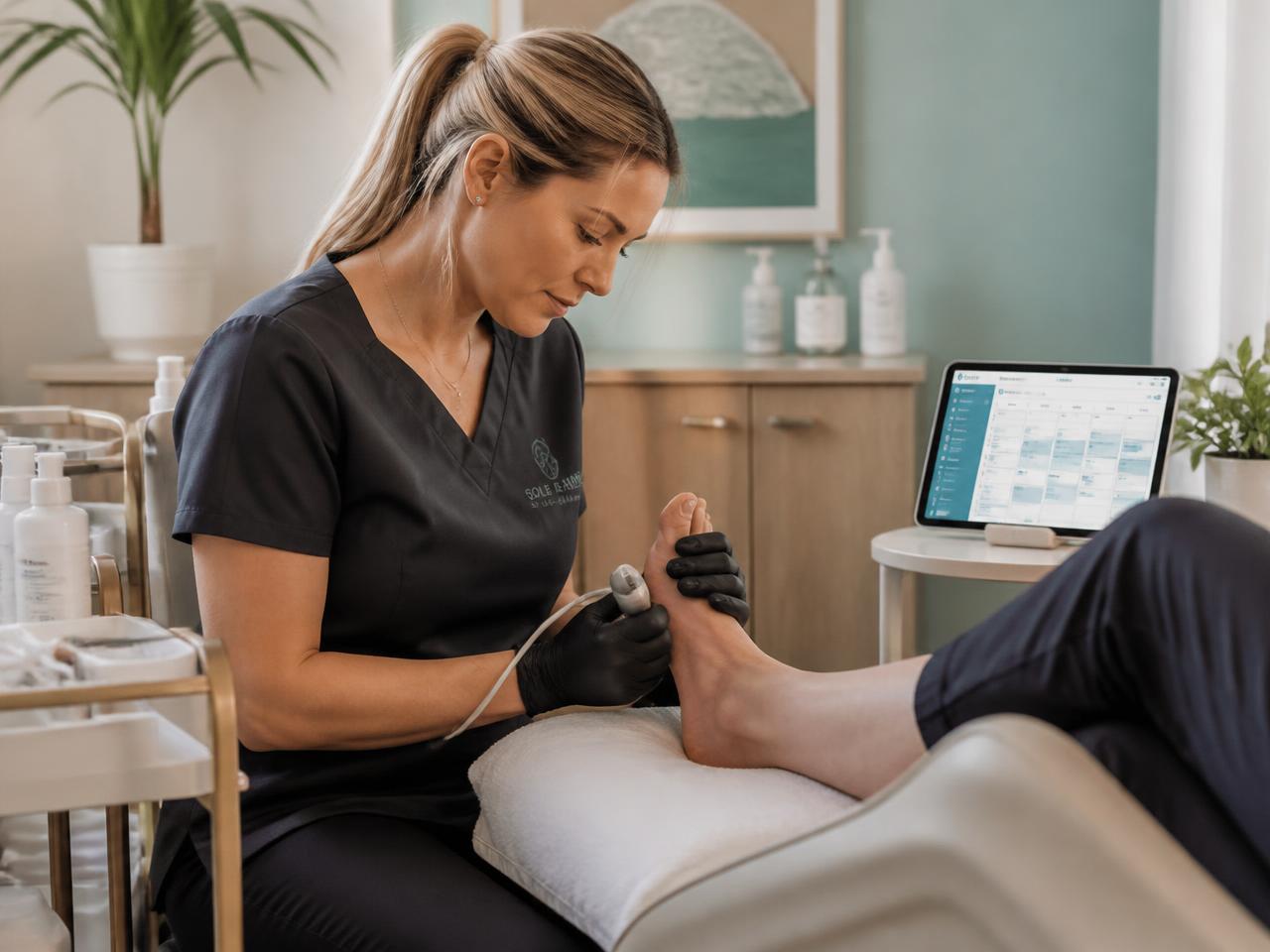
Sound familiar?
The phone rings while your hands are in the foot bath, and voicemail fills up with booking requests.
Your paper diary sits in the practice, so in the evening you can't give anyone a time.
Clients don't show up because they forgot the appointment they made six weeks ago.
Foot history lives in a notebook: which nail brace, which pressure point, which cream last time?
Payments and stock get updated in Excel on Sunday night.
Online calendar, client records and pedicure admin
From the first online booking to the payment and treatment record: one app on your phone, tablet and computer.
Pedicure calendar with duration and buffer
Set the duration per treatment and your working hours. Free times account for existing appointments, blocked times and your buffer, for example for cleaning between clients.
Client card with foot history
Treatments, health flags (diabetes, rheumatism, blood thinners), photos and notes per client, always at hand.
Intake and treatment forms
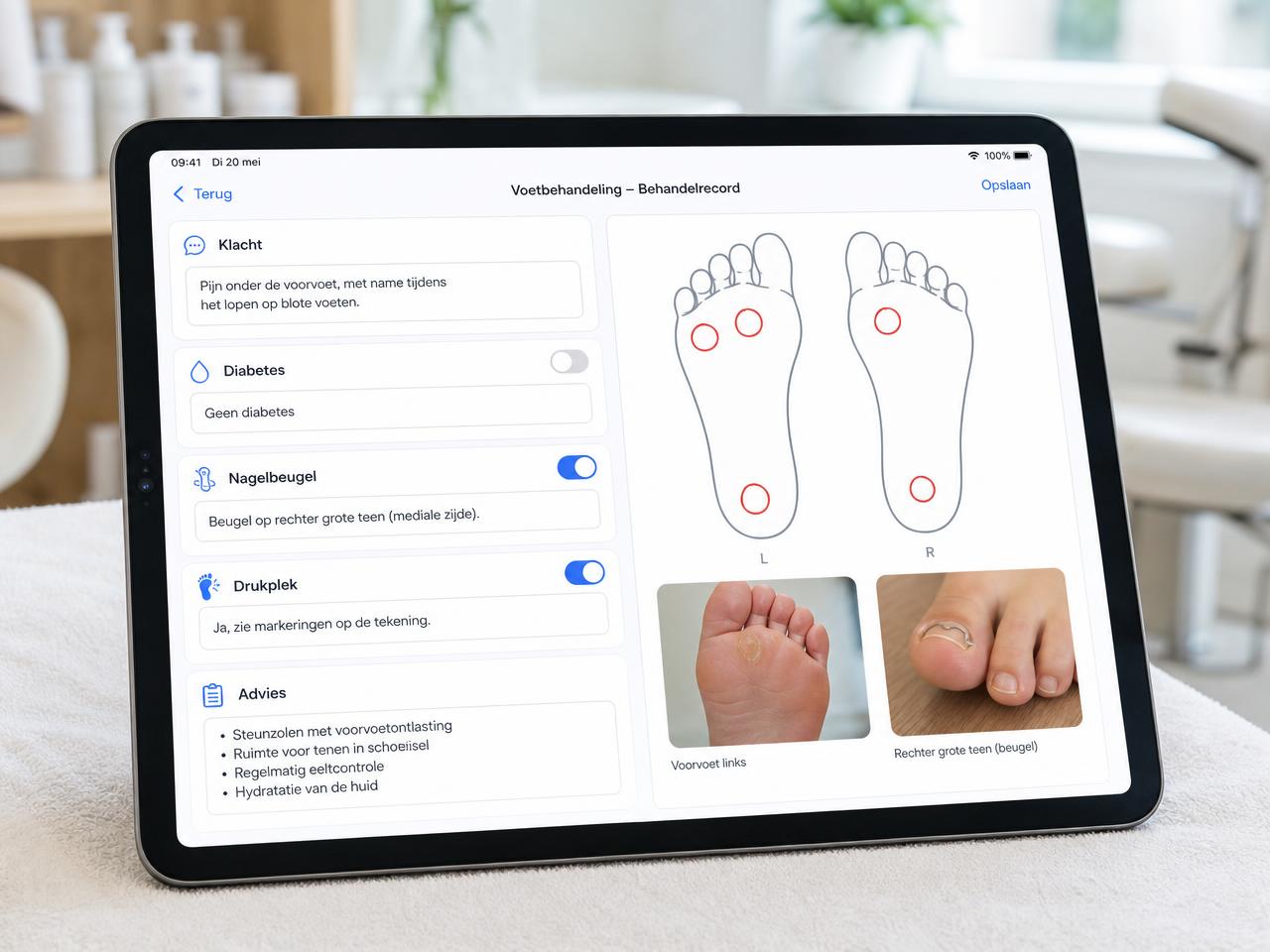
Record medical flags, medication and consent in an intake. Per visit, store the treatment, advice, photos and markings on a foot chart with the client card.
Confirmations and email reminders
Boeked sends a booking confirmation and an email reminder beforehand. SMS is optional through your own Twilio account; you pay message costs to Twilio.
Admin: payments and receipts
Record payments and their method, print payment documents as PDF and see your revenue overview. Online deposits or full payments run through your own Stripe account at Stripe's rates.
Follow-up appointments
Book the next visit right after a treatment. You decide when the check-up is due and which treatment it is.
Home visits & travel time
Working at clients' homes? Set travel time as a break after the treatment so your calendar stays realistic.
Stock & supplies
Track files, burrs, creams and dressings and see in time when to reorder.
Marketing that runs along
Birthday emails, newsletters and review requests to your own client base, in five languages.
Treatment packages
Sell, for example, 5 treatments upfront, in person or online on your booking page (online via your own Stripe connection). When settling an appointment you deduct a session with one click; your client sees the remaining sessions in their account.
Rebooking invitations per service
Set per service after how many days a client gets an invitation, e.g. after 6 weeks. It is sent by email via your own Brevo or by SMS via your own Twilio, only with the client's consent, with a link that preselects the service.
From online booking to intake and treatment record
You decide the treatments, prices and durations. This is how you use Boeked during a working day in your practice:
- 1The client picks the treatment: basic foot care, medical pedicure, nail brace or check-up.
- 2The calendar shows available times based on treatment length, your hours and the buffer you set.
- 3The client picks a time and, if you work with staff, a practitioner.
- 4The client receives a confirmation and later an email reminder.
- 5After the treatment you fill in the treatment form and book the follow-up.
Intake and treatment forms for pedicurists
- Intake with medical history, medication, diabetes, foot complaints and consent.
- Treatment form per visit: treatment performed, pressure points, products and advice.
- Foot chart where you mark callus, corns, wounds or nail braces with finger or mouse.
- Photos per treatment to document how things evolve.
- Customise your form by adding or removing fields.
- Intake and treatment records stored together on the client card.
What you get with Boeked as pedicure software
| Feature | Boeked | Paper diary + phone calls |
|---|---|---|
| Online booking page with your own link | ||
| Duration per service (basic, medical, nail brace) | Manual | |
| Cleaning and buffer time between clients | ||
| Client card with foot history and health notes | On paper | |
| Store photos per treatment | ||
| Email reminders; SMS with your own Twilio account | ||
| Home visits with travel time | Manual | |
| Record payments and print receipts | Extra tool | |
| Stock of files, creams and supplies | ||
| €19/month incl. VAT: owner + up to 2 staff (max. 3 calendars) | Costs you time |
Direct booking or a larger specialist platform?
Choose around your actual workflow: appointments, client records and recorded payments under one business account, rather than features your business does not need.
No commission on new clients
Boeked takes no new-client or per-booking commission. Clients use your own branded link, while Stripe processing fees remain separate. Marketplace acquisition fees and optional promotion charges vary by provider, plan and country.
Three calendars under one subscription
€19/month including VAT for the owner plus up to 2 staff, max. 3 calendars. Approx. £16 / US$21 per month (indicative at 13 Nov 2026 rates, billed in EUR). No extra calendar fee within that limit; larger teams receive a Pro+ quote.
Your clients stay yours
No marketplace showing competing salons next to you. Export your client list whenever you like.
A marketplace can help new clients discover your business. Boeked instead gives you a direct booking link to promote through your own website, Google and social profiles. Compare current country-specific pricing, payment fees and required features before switching; not every provider charges the same fees.
See the full comparison with alternativesAll Boeked features
| Feature group | Boeked | Separate or basic tools |
|---|---|---|
| Booking page & calendar | Branded 24/7 page, durations, buffers, recurring and group bookings, waiting list and a one-way iCal feed to Google, Apple or Outlook | Usually spread across booking and calendar tools |
| Clients & client portal | CRM with appointment and treatment history, notes, preferences and a multilingual client portal | Basic contact list or separate CRM |
| Intake & treatment records | Custom forms, recorded consent and treatment photos linked to each client | Paper forms or separate storage |
| Team management | Staff calendars, hours, services, leave, blocked time, commissions and reports | Often requires a higher plan |
| Messages & no-show protection | Automatic confirmations, email/SMS reminders, deposits and cancellation information | SMS or deposits often cost extra |
| Payments & gift cards | Optional Stripe deposits and payments without a Boeked booking commission, plus gift cards | Transaction or booking commissions are common |
| Payment receipts & accountant export | Branded PDF payment receipts with VAT breakdown and spreadsheet export of bookings, payments and shop sales | Separate invoicing or bookkeeping tool |
| Checkout, stock & suppliers | Checkout, retail sales, payment methods, stock movements, low-stock alerts and suppliers | Often a paid add-on; no physical hardware included |
| Marketing & audiences | Email and SMS campaigns, birthdays and audiences inactive for 3 or 6 months | Usually requires a separate marketing tool |
| Reviews & client loyalty | Review invitations, public reviews, gallery, loyalty points and referrals | Several separate tools |
| Analytics | Revenue and service insights, busiest times, occupancy, cancellations and client retention | Advanced reports often depend on the plan |
| AI assistance | Planning suggestions, marketing copy, follow-ups and revenue forecasts | Rarely included |
| Languages & devices | App, booking page, emails and portal in EN, NL, FR, DE and ES on every device | Often one language or limited communication |
| Privacy & data | GDPR export and deletion tools; your client data remains yours | Often handled only on request |
| Switching & price | Free CSV import, 30-day trial and flat €19/month, VAT included without setup fees | Tiered pricing, setup work or locked data |
Why pedicurists choose Boeked
Foot charts are included — not just appointment notes
Mark callus, corns, nail concerns and pressure points on a digital foot chart with your finger or mouse. Save findings and photos per visit. You make the clinical decisions; Boeked does not screen health risks or assess fitness for treatment.
No more phone calls mid-treatment
Clients book through your booking page and only see times that fit their treatment length, including your buffer.
Foot history at hand
Per client you see past treatments, complaints, health flags such as diabetes or rheumatism, and photos, useful at a check-up.
Help clients remember
A confirmation and email reminder keep the appointment in mind. You can also ask for an online deposit via Stripe.
Practice admin in one place
Record payments, print receipts and see revenue and stock in the same app as your appointments and records.
Pedicure software FAQ
Does Boeked work for a mobile or home-based pedicure?
Yes. You set your own hours, services and breaks, whether you work from home, rent a room or visit clients. For home visits you can add travel time as a break after the treatment.
Can I set different durations for basic and medical foot care?
Yes. Each treatment has its own duration and price, plus a buffer between appointments. A 60-minute treatment needs a longer free slot than a 30-minute check-up; you decide the duration.
Can I record health flags such as diabetes?
Yes. You record medical flags and medication in the intake and add notes to the client record. Treatment forms can store photos and foot chart markings. Boeked does not assess medical suitability.
What does Boeked pedicure software cost?
A flat €19 per month, VAT included with every feature, no per-booking fees. Online payments run through your own Stripe account at Stripe's standard rates. The first 30 days are free, no credit card. This covers the owner plus up to 2 staff (max. 3 separate calendars); larger teams get an all-in quote with Boeked Pro+ based on the number of staff.
Can I import my existing client list?
Yes. Import client details such as name, email, phone, birthday and notes via CSV or Excel. Appointments have a separate import. Old treatment forms, foot charts or photos are not transferred automatically.
Is Boeked accounting software for pedicurists?
Boeked helps with daily admin: recording payments, printing receipts, viewing revenue and tracking stock. It is not a complete accounting package; use your accountant or bookkeeping software for full accounts and tax returns.
Can I price services and accept payments in pounds or US dollars?
Yes. Choose GBP (£) or USD (US$) in your business settings and check the currency on each service. Online payments and required deposits use the service currency through your own Stripe Connect account. Connect an eligible account and complete Stripe verification first. Stripe determines supported methods, processing fees, currency conversion and bank payout timing. Your Boeked subscription is separate and is billed in euros.
Can I keep using my Square, SumUp or Zettle card reader?
Yes, alongside Boeked. Take payment on your existing reader and record it as a card payment in Boeked. This is manual recording, not a direct terminal integration or automatic reconciliation. You do not need to buy Boeked hardware; your reader provider keeps its own fees.
Does Boeked calculate UK VAT or US sales tax automatically?
No. You enter the applicable tax rate and issuer details yourself when creating a branded PDF payment document; a 0% rate requires an explanatory note. Boeked does not determine VAT registration, calculate state or local US sales tax, submit Making Tax Digital returns or provide a direct Xero or QuickBooks integration. Your accountant should confirm the correct treatment. The German § 19 UStG setting is not a UK or US exemption.
What should UK and US businesses know about client privacy?
Client data is hosted in the EU, with tools to manage marketing consent and export or delete data. You remain responsible for your privacy notice, lawful basis, retention and any international-transfer requirements. Boeked does not offer a HIPAA compliance guarantee or a healthcare BAA; US providers who need those assurances should not assume the client records meet their requirements.
Can US businesses send SMS reminders (A2P 10DLC)?
Yes, through your own Twilio account with client consent. US carriers require A2P 10DLC registration (or a verified toll-free number) for business texting; you complete that registration in Twilio and pay Twilio’s fees. Boeked does not register numbers for you. Email reminders are included without extra setup.
Does Boeked handle NHS billing or US insurance claims?
No. Boeked supports appointment scheduling, intake, visit notes and recorded payments for private, self-pay work. It does not connect to the NHS, submit US insurance claims or replace a specialist clinical EHR. Confirm your professional recordkeeping and privacy requirements before storing health information.
Can mobile Foot Health Practitioners use foot charts and travel buffers?
Yes. Save annotated foot charts, intake details, health flags and treatment photos in the client record. Plan travel time as a break after a service. Internet access is required: there is no offline note-taking, route optimisation or traffic-aware travel calculation.
What happens to my client data and foot care records if I leave Boeked?
Your data stays yours. In Settings you download all clients, bookings, notes and foot care records in one click, with no export fee.
What do SMS reminders really cost?
Appointment email reminders are included. Optional SMS runs through your own Twilio account with business and client consent. Twilio charges its current country-specific rates, including any sender registration or carrier fees; these are separate from your Boeked subscription. Rebooking invitations use your own Brevo email or Twilio SMS connection. WhatsApp rebooking invitations are not included.
What if the internet goes down at my business?
Boeked runs online, like almost all modern software. There is no offline mode, but on your phone with mobile data the calendar and checkout keep working.
Who owns the client? Does Boeked send clients to competitors?
Your client list stays yours and can be exported. Boeked is not a marketplace: your booking page shows your business, not competing providers or ads. Boeked takes no booking commission, including on new clients. Stripe payment-processing fees are separate. You bring clients through your own website, social profiles and booking link; Boeked does not promise marketplace leads.
Do you help me switch and move my foot care records?
Import clients and notes from your previous tool with an Excel or CSV file. Foot care records kept on paper need to be typed in by you. Max, the setup assistant, guides you step by step.
Can I match my recorded receipts with my card terminal?
Record payments by their actual method and compare your records with your terminal provider’s statement. Taking payment on Square, SumUp or Zettle does not automatically update Boeked: enter the card receipt yourself. A completed appointment alone is not proof of payment, and this is not automatic terminal reconciliation.
Can we log in at the same time?
Yes. Everyone has their own login and you can work at the same time on your own phone, tablet or computer. Calendar changes are visible to everyone right away.
Can I require a deposit without an expensive add-on?
Yes, no extra module. Per treatment choose no deposit, a percentage, a fixed amount or the full price in your service currency (GBP, USD or EUR). The client pays through your own Stripe account; without payment within 30 minutes the spot is released. Connect Stripe Connect first; without it clients book without online payment. Settle the balance in the practice. You handle cancellation refunds yourself in Stripe. Stripe charges its own fees; Boeked adds no booking commission.
Explore more
- Boeked vs. alternatives
- Blog
- Booking software for beauty therapists, estheticians and nail techs
- Booking software for private physiotherapy and physical therapy
- Massage booking software for independent therapists
- Best booking software for self-employed professionals: how to choose
- Commission-free booking software
- Salonized alternative: compare Boeked
- Fresha alternative: compare Boeked
- Booking software for small businesses
- All-in-one software for service businesses
In short
- Online booking page with your own link, bookable 24/7.
- Calendar with treatment length and a configurable buffer between clients.
- Client card with foot history, photos and foot chart.
- Confirmations and reminders by email; SMS optional via Twilio.
- Payments, receipts and stock in the same app.
- €19 per month incl. VAT for the owner plus up to 2 staff (max. 3 separate calendars). 30 days free, no credit card.
Start with Boeked as your pedicure software
30 days free, no credit card. €19/month including VAT. Approx. £16 / US$21 per month (indicative, 13 Nov 2026; billed in EUR). Owner + up to 2 staff, max. 3 calendars. Cancel monthly; larger teams: Pro+ quote.
Start free trial